




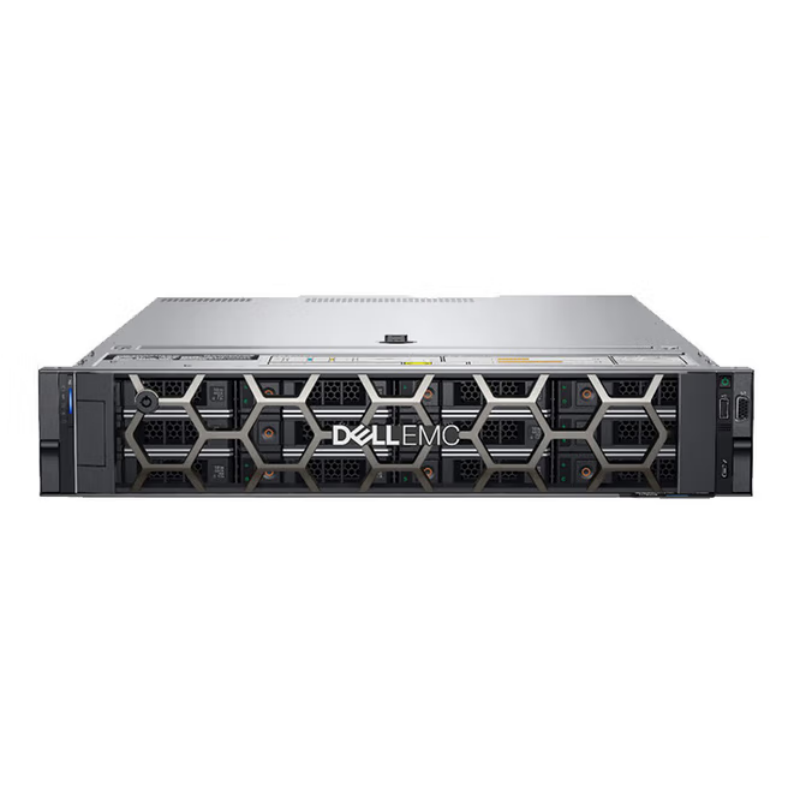
Rack Mounted Server: Reducing Operational Complexity in Growing IT Environments
As an organization expands its digital operations, its IT infrastructure often becomes more difficult to manage. More applications require additional computing resources, storage capacity, network connections, and backup systems. Without a clear deployment strategy, these additions can create crowded Server rooms, complicated maintenance procedures, and inefficient resource allocation.
A Rack Mounted Server provides a structured way to deploy computing hardware within a shared rack environment. However, its value goes beyond saving floor space. When selected and deployed properly, rack servers can help standardize hardware management, simplify maintenance, and support more predictable infrastructure growth.
Why IT Infrastructure Becomes Harder to Manage as It Grows
A small IT environment may operate with only a few servers and storage devices. As workloads increase, however, equipment is often added at different times to meet immediate requirements. This can lead to inconsistent hardware configurations, fragmented management processes, and limited visibility across the infrastructure.
The challenge is not simply the number of devices. Different servers may support different applications, operating systems, storage arrangements, and network configurations. Technicians must understand these differences when performing routine maintenance or troubleshooting performance problems.
Physical organization also becomes more important. Equipment instalLED without a consistent rack layout can make it harder to identify connections, trace cables, and access components. These issues may increase maintenance time and make future expansion more complicated.
A well-planned Rack Mounted Server deployment helps address these challenges by giving equipment a consistent physical structure. It creates a foundation for organizing computing resources and managing them as part of a larger system.
Standardizing Server Deployment Across the Infrastructure
Standardization is one of the most practical ways to reduce operational complexity. When servers follow consistent installation and configuration practices, IT teams can manage them more efficiently.
A standardized deployment process should consider several areas:
-
Rack placement: Assign equipment positions according to workload importance, maintenance frequency, and airflow requirements.
-
Hardware configuration:Use consistent processor, Memory, storage, and network configurations where workloads allow.
-
Connection labeling: Clearly identify power cables, network ports, and storage connections to simplify troubleshooting.
-
Documentation: Maintain records of server locations, hardware specifications, software roles, and management addresses.
Standardization does not mean every server must have identical specifications. A database server, virtualization host, and application server may require different resources. The objective is to make their installation and management processes consistent.
For example, an organization operating several application servers can use similar naming conventions, monitoring policies, and maintenance procedures. When a problem occurs, technicians can compare configurations more easily and identify unusual conditions without investigating every device from the beginning.
Managing Rack Space Without Limiting Future Expansion
Rack space is a finite resource, especially in smaller server rooms and facilities with limited power and cooling capacity. Adding equipment without considering future requirements may create problems long before the rack is physically full.
A Rack Mounted Server is designed for installation in a rack, with its height commonly measured in rack units (U). Different chassis sizes allow organizations to balance computing capacity, expansion options, and available space. However, choosing a server based only on its height can lead to poor long-term decisions.
IT planners should evaluate how much space is needed for the complete installation, including cable management accessories, switches, power distribution units, and maintenance access. They should also consider whether the rack has enough depth and whether its rails support the selected chassis.
Expansion planning is equally important. A server that meets current requirements may have limited room for additional memory, storage drives, network adapters, or accelerator cards. If workloads are expected to grow, these limitations can result in earlier-than-planned hardware replacement.
A more effective approach is to assess both present workloads and likely development needs. This helps determine whether a compact 1U configuration, a more expandable 2U model, or another server format is appropriate.
Improving Maintenance and Troubleshooting Efficiency
Maintenance becomes more difficult when equipment is poorly organized or when technicians cannot quickly identify the source of a problem. A structured rack environment can make physical access and routine servicing more predictable.
Before installing a Rack Mounted Server, organizations should check the service access requirements of the chassis. Some components may support hot swapping, while others require the server to be shut down before replacement. Knowing these differences helps technicians plan maintenance without creating unnecessary interruptions.
Remote management features can also reduce the need for physical access. Depending on the server platform, administrators may be able to monitor hardware status, review system logs, access remote consoles, and perform selected management tasks through a dedicated interface.
A practical maintenance process should include:
-
Reviewing hardware alerts and system logs regularly.
-
Checking fan operation, temperature readings, and power status.
-
Keeping firmware and management tools under controlled update procedures.
-
Recording component replacements and configuration changes.
-
Confirming that backup and recovery procedures remain functional after maintenance.
These practices help teams identify developing issues before they affect essential services. They also reduce reliance on individual technicians' knowledge because maintenance information is recorded and repeatable.
Coordinating Power, Cooling, and Network Connections
A growing server environment places increasing demands on supporting infrastructure. Even when computing capacity is sufficient, inadequate power distribution, poor airflow, or disorganized network connections can affect overall reliability.
Power planning should account for the actual consumption of installed equipment, expected peak demand, and the capacity of power distribution units. Redundant power supplies can improve resilience, but they do not eliminate the need to check circuit capacity and power distribution arrangements.
Cooling also requires attention. Servers draw cool air through designated intake areas and release heated air through exhaust paths. If racks are arranged without considering airflow, hot air may circulate back into equipment intakes. This can raise operating temperatures and increase cooling demands.
Network design should be planned alongside physical installation. Clear cable routing makes it easier to trace connections and reduces the risk of accidental disconnection during maintenance. Sufficient switching capacity and appropriate network interfaces are also important as traffic increases.
These factors show why a Rack Mounted Server should not be evaluated as an isolated piece of hardware. Its performance and reliability depend partly on how well it fits into the surrounding facility.
Matching Server Configurations to Changing Workloads
Different applications place different demands on computing infrastructure. Virtualization environments may need substantial memory capacity, while database workloads can require a balance of processor performance, memory, and fast storage. AI-related workloads may place greater emphasis on accelerator support, power capacity, and data throughput.
Selecting a Rack Mounted Server therefore requires more than comparing processor specifications. Organizations should identify the applications the server will support and determine which resources are most important to those workloads.
A useful assessment includes expected user demand, data growth, storage performance, network throughput, software compatibility, and availability requirements. It should also consider whether workloads are likely to change during the server's service life.
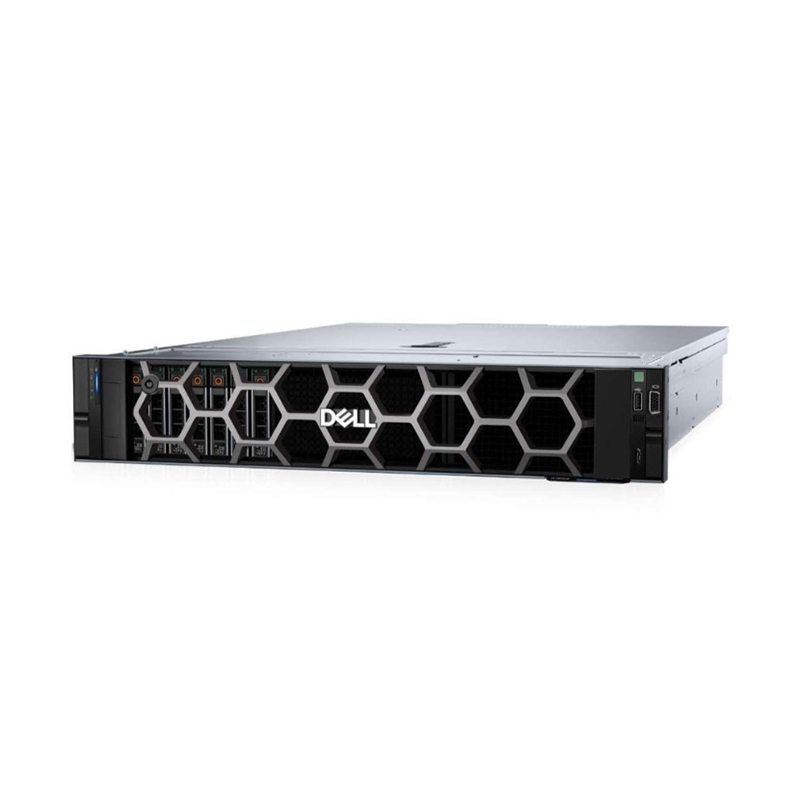
For organizations planning broader infrastructure upgrades, Hua Sheng Bo Ye (Shenzhen) Technology Co., Ltd. provides enterprise IT equipment covering rack servers, storage systems, and related hardware. Its product range includes options such as the Dell PowerEdge R760 and Lenovo ThinkSystem SR630 V3, giving organizations different server platforms to evaluate against their computing and deployment requirements. Reviewing server hardware together with storage and networking needs can help create a more coordinated infrastructure plan.
Conclusion
Reducing operational complexity in a growing IT environment requires more than adding computing capacity. Equipment placement, hardware standardization, maintenance access, power distribution, cooling, and workload planning all influence how easily an infrastructure can be managed.
A properly selected Rack Mounted Server provides a structured foundation for organizing computing resources and supporting future expansion. By evaluating the complete operating environment rather than focusing only on individual hardware specifications, organizations can build a server infrastructure that is easier to maintain, adapt, and manage over time.
FAQ
1. What is the main advantage of a rack mounted server?
It allows server hardware to be installed in a standardized rack structure, helping organizations organize equipment, use available space efficiently, and manage multiple systems more consistently.
2. Should all servers in a rack have the same configuration?
No. Server configurations should match their workloads. Standardizing installation practices and management procedures is useful, but processor, memory, and storage requirements may differ between applications.
3. How much rack space should be reserved for future expansion?
There is no universal amount. The available space should account for expected server additions, network equipment, power distribution, cable management, airflow, and maintenance access.
4. Can rack mounted servers be managed remotely?
Many enterprise server platforms provide remote management functions. Depending on the model, these may include hardware monitoring, remote console access, system alerts, and selected maintenance operations.