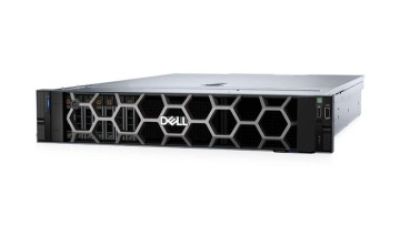
Picking a dual channel serverisn't just about comparing specs on paper, you know? I mean, sure, the processor name and the advertised speeds matter, but there's a whole lot more going on under the hood. The way your memory is set up—like how the CPU and RAM actually talk to each other—can make a real difference, especially when you're running virtual machines, handling business apps, or even just dealing with everyday file sharing. It's one of those things you kind of overlook until you notice things slowing down for no obvious reason. So, a Server with only two memory channels? That's plenty for light or average workloads, honestly. But when you start really hammering the memory bandwidth, it can become a bottleneck. And that's where the devil's in the details – those little specifics can make or break performance.
Alright, so you've got to think about what the server's actually going to be doing, right? For instance, if it's a small office database, you probably care more about having dependable capacity and some room to grow than about hitting the maximum benchmark scores. So, you'd want to look at things like whether the processor supports dual channels, how the motherboard's DIMM slots are laid out, and which memory types are officially supported. Using two matched memory sticks is a smart move because it lets you take advantage of both channels, but if you go with an unbalanced setup, you might leave some bandwidth on the table. And trust me, those little decisions really add up in the long run.
Now, while you're at it, don't just look at the price tag. Think about things like capacity, whether you can upgrade down the road, cooling, power draw, and of course, how good the vendor support is. A cheap setup might seem like a steal today, but when your workloads start growing, you might find yourself having to replace Modules you thought you'd keep for a while. So, do a bit of homework—check independent tests for similar software, make sure everything matches up with the manufacturer's documentation before you hit that order button. And ask about the warranty, and whether they roll out firmware updates regularly. Yeah, it's not the most exciting part of the job, but it'll save you headaches later.
Look, there's no one-size-fits-all answer. The dual-channel server you pick really depends on your workloads, your budget, and how much you're planning to grow. And honestly, be careful with those broad performance claims – results can shift quite a bit depending on your storage, software, and memory settings. Even a careful comparison has its limitations. If you only estimate your workload for a short time, you might miss what you'll need in the future. So it's a good idea to keep some flexibility and revisit the design before you fully commit.
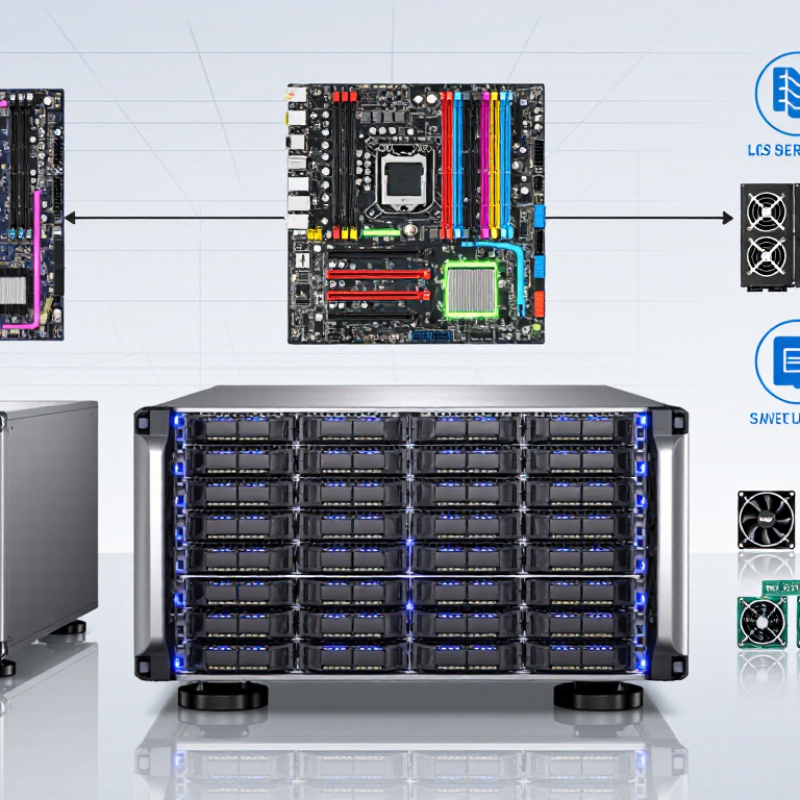
Understanding Dual-Channel Server Architecture
How to Choose the Best Dual Channel Server?
Understanding Dual-Channel Server Architecture
A dual-channel server uses two memory channels to move data between the processor and RAM. Each channel is a separate path, so correctly populated channels can increase memory bandwidth. Think of two checkout lanes serving the same workload. The lanes help only when both are configured properly.
Check the processor’s memory-controller specifications before choosing a system. They determine supported memory types, speeds, and channel layouts. Install compatible DIMMs in the recommended paired slots; an uneven layout may leave a channel underused. More memory capacity does not automatically mean more bandwidth. And dual-channel memory does not mean the server has two processors. That distinction is easy to miss.
For an OEM Dual Channel Server, compare the intended workload with the complete memory configuration, not just the channel count. Virtual machines and in-memory databases may benefit from higher bandwidth, while light file services may show little change. Verify the DIMM population guide and test with representative workloads. A benchmark can look impressive, yet real performance may differ. I would also leave room for future expansion; filling every slot today can make upgrades less convenient. No configuration is perfect. The best choice depends on workload, capacity needs, and budget.
Matching Server Workloads to Memory Requirements
How to Choose the Best Dual Channel Server?
Matching Server Workloads to Memory Requirements
Choosing a dual-channel server starts with the work it must perform, not the largest memory figure on a product sheet. A small web server may run smoothly with modest capacity, while several virtual machines can consume memory quickly. Track typical and peak usage during busy periods. A dashboard showing memory pressure at 9 a.m. tells you more than a quiet overnight reading.
Capacity and bandwidth solve different problems. More memory helps when applications run out of room; balanced memory channels help move data efficiently. For databases or analytics jobs, check whether matched memory modules are installed in the correct slots. Follow the server’s configuration guide, since slot order can affect channel operation. Small detail, real impact. Adding one unmatched module may increase capacity but leave some memory operating differently.
Leave room for growth, but avoid paying for unused capacity. Review application requirements, operating-system needs, and any planned virtual machines before choosing a configuration. If usage is close to the limit, test a representative workload after upgrades rather than assuming more memory fixed everything. That assumption is easy to make. It is not always right. Recheck performance and error-correction support under real operating conditions, especially when the server handles sustained workloads.
Checking CPU, Motherboard, and Memory Compatibility
A dual-channel server is only as dependable as its CPU, motherboard, and memory working together. Check the processor socket, chipset support, and the board’s exact CPU support list. A socket match alone proves little. Confirm the required BIOS version, especially with newer processor revisions. Compatibility charts help, but board revisions and firmware updates can complicate a tidy parts list.
Then verify memory against the CPU’s integrated memory controller and the motherboard manual. Match the DDR generation, ECC type, registered or load-reduced DIMM type, capacity, and supported speed. For dual-channel operation, install matched modules in the manual’s paired slots; slot colors are not universal. Check channel population rules too: adding DIMMs can lower the supported transfer rate. One easily missed detail is rank and capacity limits per slot. Easy to overlook.
This care has operational value. Uptime Institute’s 2024 Annual Outage Analysis reported that 54% of respondents’ most recent significant outages cost more than $100,000, while 16% exceeded $1 million. The report does not attribute those outages to memory mismatches, but it shows why preventable configuration risks deserve attention.
Before purchase, validate the complete CPU, motherboard, and memory combination. Then check the exact board revision and BIOS release. Keep the qualified memory list nearby; it is useful, not infallible.
Comparing Memory Capacity, Speed, and Bandwidth
A dual-channel server is only as balanced as its memory configuration. JEDEC’s JESD79-5C DDR5 specification includes data rates up to 6,400 MT/s. At that rate, one 64-bit channel has a theoretical peak bandwidth of 51.2 GB/s; two channels provide 102.4 GB/s combined. These figures are calculated from the data rate and channel width, not measured application results. Numbers matter.
Capacity depends on the platform’s supported module sizes, slot count, and population rules. For a database holding large working sets, sufficient capacity can matter more than a small speed increase: once memory fills, storage access can slow workloads sharply. Populate both channels evenly where possible, and check the server’s technical documentation before buying. A higher-rated module may run slower if the processor or configuration limits it.
For a Wholesale Dual Channel Server, compare capacity per channel alongside total capacity, then check the supported data rate and bandwidth. Peak bandwidth is not a promise. Real results also depend on workload, memory timings, and other system limits. I would avoid choosing by MT/s alone; it is an easy figure to compare, but it can hide a lopsided configuration.
How to Choose the Best Dual Channel Server? – Comparing Memory Capacity, Speed, and Bandwidth
Compare common memory configurations by theoretical bandwidth, example capacity, and typical use.
| Memory Configuration | Transfer Rate | Theoretical Bandwidth per Channel | Theoretical Dual-Channel Bandwidth | Example Capacity
(One DIMM per Channel) | Typical Considerations |
| DDR4-2666 | 2,666 MT/s | About 21.3 GB/s | About 42.7 GB/s | 64 GB
(2 × 32 GB) | A lower-speed option for compatible DDR4 platforms; check the processor and system memory specifications. |
| DDR4-3200 | 3,200 MT/s | 25.6 GB/s | 51.2 GB/s | 64 GB
(2 × 32 GB) | A widely used DDR4 data rate. Actual operating speed depends on platform support and the installed DIMMs. |
| DDR5-4800 | 4,800 MT/s | 38.4 GB/s | 76.8 GB/s | 64 GB
(2 × 32 GB) | Offers higher theoretical bandwidth than the listed DDR4 configurations; requires a DDR5-compatible platform. |
| DDR5-5600 | 5,600 MT/s | 44.8 GB/s | 89.6 GB/s | 64 GB
(2 × 32 GB) | Provides the highest theoretical bandwidth in this comparison, when supported by both the system and memory modules. |
How to read the figures: Bandwidth is calculated using the transfer rate × 8 bytes per 64-bit channel; dual-channel bandwidth is twice the per-channel figure. These are theoretical peak rates, not guaranteed application throughput. The example capacity assumes one 32 GB DIMM per channel. Maximum capacity, supported speed, and DIMM type vary by server platform. DDR5 DIMMs use two 32-bit subchannels internally; these do not change the system’s count of memory channels.
Evaluating Reliability, Expandability, and Power Efficiency
Choosing a dual channel server starts with reliability under real workloads, not a feature list. Check error-correcting memory support, validated components, cooling paths, and remote monitoring. Confirm that memory modules are installed evenly across both channels; an unbalanced configuration can leave bandwidth unused. Small details matter. Uptime Institute’s 2024 Annual Outage Analysis found that 54% of respondents’ most recent significant outages cost more than $100,000. That figure makes serviceability and tested recovery plans worth weighing alongside purchase price.
Expandability should be practical: count available memory slots, drive bays, network interfaces, and power-supply capacity, then compare them with your likely needs over three to five years. A chassis with spare slots is not truly flexible if added drives exceed its cooling or power budget. For efficiency, measure power draw at your expected load, not just the advertised maximum. Uptime Institute’s 2024 Global Data Center Survey reported an average PUE of about 1.56. PUE describes facility overhead, not server efficiency alone, so it is useful context—not a verdict. A Dual Channel Server Manufacturer should be able to provide configuration details and workload-based power figures. Ask for evidence; a tidy spec sheet can still mislead.
Tips: Check the load. Request a thermal and power estimate for your planned memory and storage. Leave room for growth, but avoid paying for capacity you may never use.
Testing Performance and Comparing Total Cost of Ownership
How to Choose the Best Dual Channel Server?
Testing Performance and Comparing Total Cost of Ownership
Performance testing should reflect the work the server will actually do. Run representative database, virtualization, or file-service tasks, not just a short synthetic benchmark. Check that memory is installed across both channels as intended, then record throughput, latency, and error rates. Repeat tests under sustained load; a fast first minute may hide thermal or memory bottlenecks. Numbers can mislead. I would not treat one clean benchmark as proof. Note the operating system, firmware, storage, and workload settings so another technician can reproduce the result.
Total cost of ownership includes more than the purchase price. Estimate power use at idle and under load, cooling needs, support costs, and likely memory or storage upgrades over several years. Compare servers using the same workload and measurement period. A Dual Channel Server Factory should be able to provide a clear configuration list and explain its test conditions. Ask for measured power figures, not an unsupported estimate. Small differences add up, though projected savings can be wrong if your workload changes.
Tips: Keep a simple test log. Record room temperature, power draw, and memory configuration. Measure twice. Leave room for workload growth, but avoid paying for capacity you cannot use.
How to Choose the Best Dual Channel Server? Testing Performance and Comparing Total Cost of Ownership
Dual-channel memory can increase theoretical bandwidth by allowing two 64-bit memory channels to transfer data in parallel. Bandwidth figures are calculated from the listed memory data rates and channel counts; real application performance may be lower. Three-year TCO figures are illustrative estimates combining assumed hardware purchase prices with continuous operation at an average power draw of 150–160 W and electricity at $0.12/kWh. They are planning assumptions, not measured test results or supplier quotes.
PowerEdge R760 Rack Server: Key Trends in IDC’s Worldwide Server Market Tracker
IDC’s Worldwide Quarterly Server Tracker shows how quickly infrastructure requirements are changing. In the fourth quarter of 2023, worldwide server revenue rose 18.9% year over year to $26.4 billion, with x86 server revenue increasing 7.7% to $22.1 billion. The figures point to continuing investment in scalable compute, while diverse workload and storage requirements make configuration flexibility an important consideration for data-center planning.
A high-performance 2U dual-socket rack server can address these needs through configurable processing, RAID, and storage options. Depending on chassis configuration, it supports up to 16 drives, including a combination of eight SAS/SATA drives and eight NVMe drives with hardware RAID. This allows organizations to balance capacity and high-speed storage for different applications without relying on a single drive type. Smart Flow technology is also included, supporting airflow management within the server. These configuration choices make the platform suitable for varied workloads, from general-purpose enterprise computing to deployments that benefit from NVMe storage.
FAQS
It uses two separate paths between the processor and RAM. Both channels need suitable memory modules to improve bandwidth. Two channels do not mean two processors.
Follow the server’s slot guide and pair compatible modules as recommended. An uneven layout can leave one channel underused. I still find slot diagrams easy to misread.
No. Capacity is how much data memory can hold; bandwidth is how quickly it moves. Both matter, but they solve different problems.
At 6,400 MT/s, one 64-bit channel has a theoretical peak of 51.2 GB/s. Two provide 102.4 GB/s combined. Not a guarantee.
For a database with a large working set, enough capacity may matter more than a small speed increase. When memory fills, storage access can slow the workload.
Virtual machines and in-memory databases may benefit from higher bandwidth. A light file service may show little change. Test your actual workload.
No. The processor and memory configuration can limit the supported data rate. Check the technical documentation before buying.
Compare capacity per channel, supported data rate, and slot population—not just total capacity or MT/s. Benchmarks help, but real results can differ. Leave room for upgrades.
Conclusion
Choosing the best Dual Channel Server starts with understanding how its memory architecture supports communication between the processor and paired memory modules. Consider the server’s intended workloads, such as virtualization, databases, or general business applications, and estimate their memory capacity and bandwidth needs. Then verify that the processor, motherboard, and memory modules are compatible, including supported memory types, module configurations, and operating speeds.
Compare capacity, speed, and bandwidth in the context of real workload demands rather than relying on a single specification. Also assess reliability features, room for future expansion, cooling needs, and power efficiency. Before making a decision, test performance with representative tasks and compare the total cost of ownership, including acquisition, power use, maintenance, and potential upgrades. The right choice balances dependable operation and useful performance with current requirements and long-term costs.